
Engineer Tools
A fast, accurate bubble level for your phone, with an angle finder, compass, ruler and protractor.
- Opens straight into a live level
- No paywall, no launch ad
- Works offline
- 25 languages
Engineer Tools is an Android app that turns your phone's motion sensor into a spirit (bubble) level and angle finder. It opens straight into a live level, with no paywall and no ad on launch. It adds a compass that points to magnetic north, a true-size ruler and an on-screen protractor. It works offline, supports 25 languages including right-to-left, and is coming soon to Google Play.
Screenshots
Features
A live bubble level on every screen
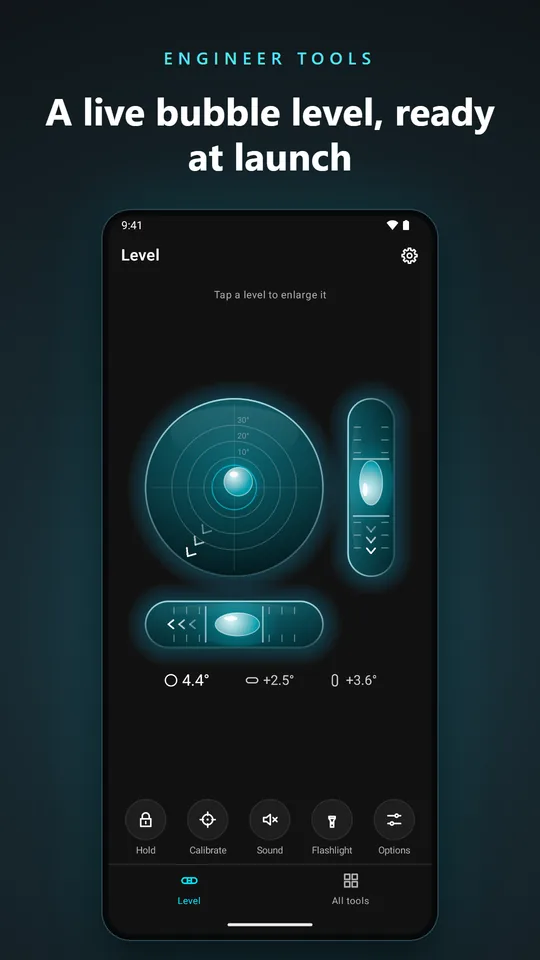
A circular level and a horizontal and vertical vial are shown together, each with its own reading. Tap any of them to enlarge it. The bubble reaches the edge at 45° of tilt, so small errors never look dramatic and the numbers carry the precision.
Calm, accurate readings
Adaptive filtering removes hand tremor and sensor jitter, while a real change in angle still shows within a fraction of a second. Response presets let you choose a steadier or a faster feel.
Two-point flip calibration
Take one reading, turn the phone 180° on the same spot, and take a second. The app works out the sensor offset on any surface, so you do not need a perfectly level reference. A quick calibration is there for surfaces you already know are level.
Angle finder and slope in the units you need
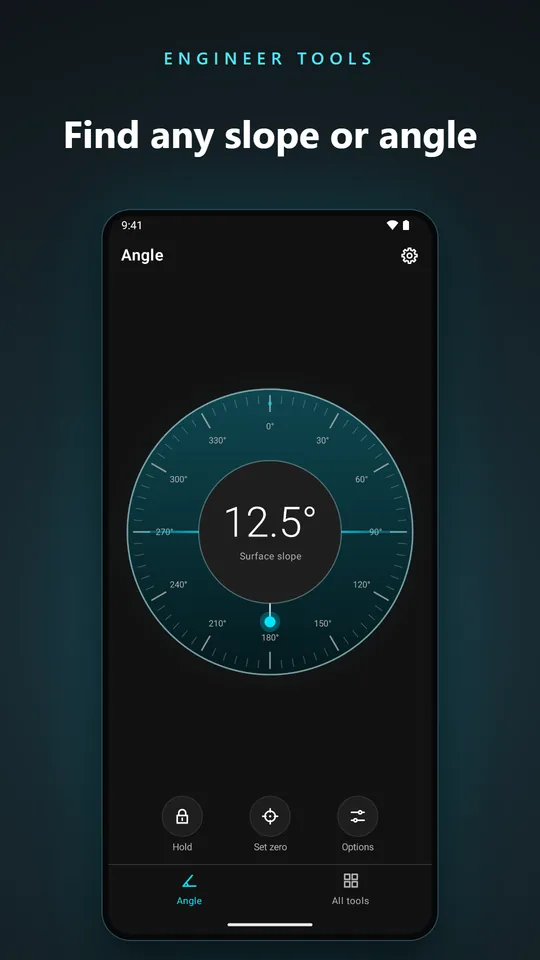
Read tilt in degrees, percent, mm per metre, inches per foot or as a 1:n ratio. Set a zero point to measure an angle relative to any surface, and let Auto-hold freeze the reading once the phone is still.
Protractor and true-size ruler
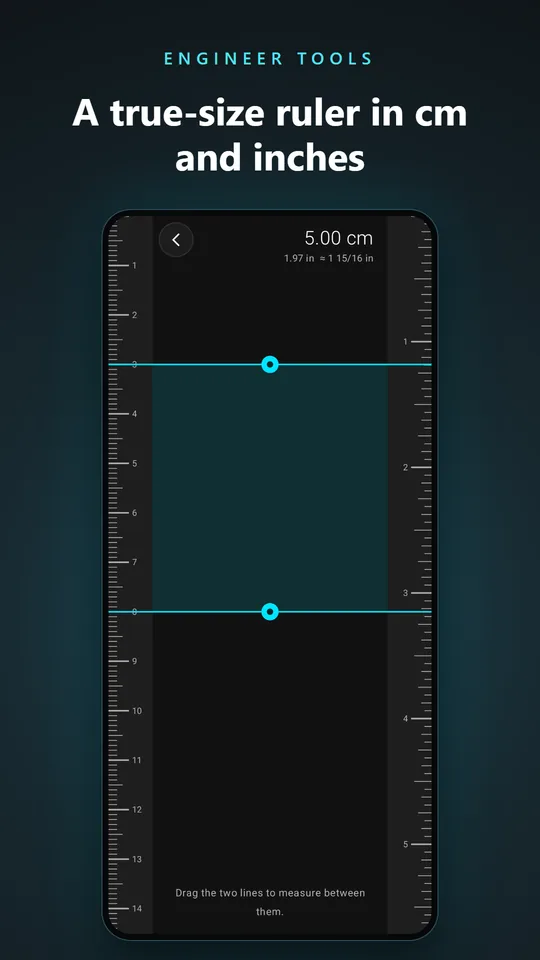
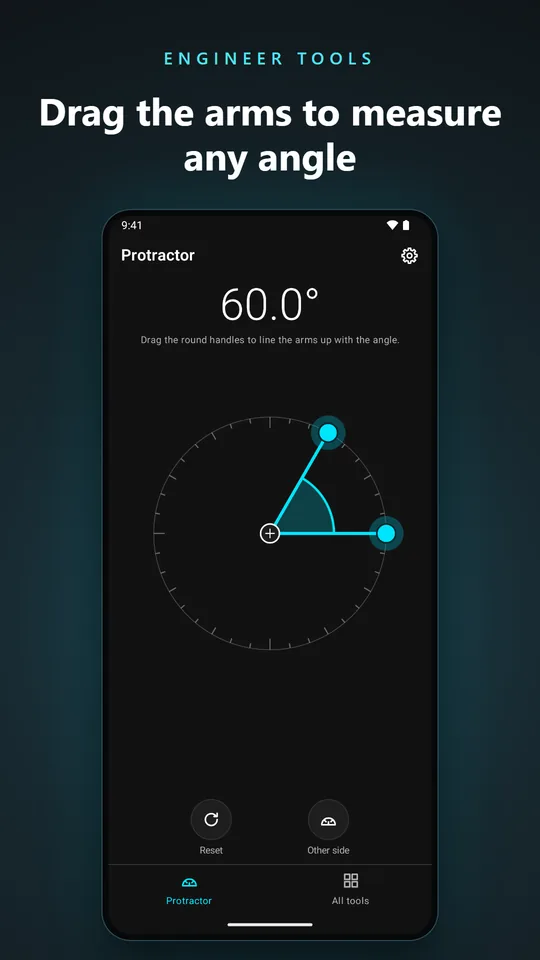
Drag the two arms of the on-screen protractor to read an angle, with a switch to the other side (360° minus the angle). The ruler shows millimetres and inches in sixteenths at true size, and you can drag two lines to measure between them.
A steady compass
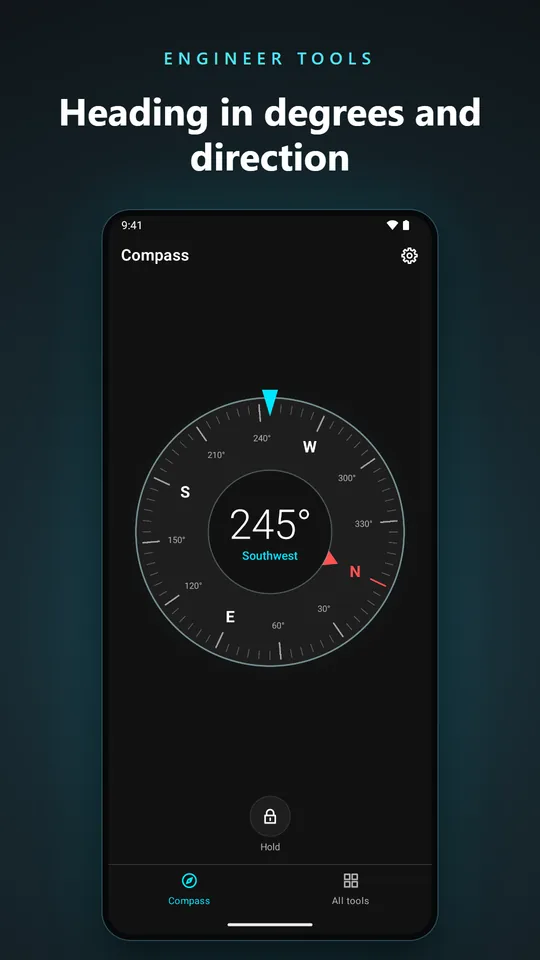
The compass card turns to magnetic north and shows the heading in degrees and as a direction, for example 245° Southwest. It works flat in your hand or held upright, uses the gyroscope where your phone has one for a calm card, and needs no location permission.
Feedback you can use with your hands full
Beeps get faster as you approach level, the screen stays awake while the app is open, and a flashlight button lights up dark corners. The sound pauses while an ad is showing.
Free, with optional Pro
The app is free with ads, and there is no ad on launch. Pro is a monthly subscription that removes all ads and unlocks every theme. New subscribers can try Pro free for 3 days, and you can cancel any time in Google Play.
Use your phone as a spirit level in four steps
Open the app
It starts on a live level straight away, with no paywall and no launch ad.
Place the phone
Lay it flat on a surface, or stand it on one of its long edges to check a wall or a vertical line.
Calibrate once
Open Calibration, take a reading, turn the phone 180° and take a second. The app removes the sensor's offset.
Read the bubble and the numbers
Centre the bubble. The reading turns to the level state when you are within your chosen tolerance, and the beeps tell you without looking.
What you can use it for
- Hanging pictures and fitting shelvesCheck that a frame, a shelf or a cabinet is straight before you drill.
- Levelling a washing machine or applianceLay the phone on top and adjust the feet until the bubble centres.
- Finding which way a window or garden facesRead the heading on the compass, in degrees and as a direction, for example to see which side gets the morning sun.
- Setting up a tripod, telescope or tableLevel a camera tripod, a telescope mount or a pool or table-tennis table.
- Measuring a slope, ramp or roof pitchRead the slope in degrees, percent or a ratio, for a drainage run, a wheelchair ramp or a roof.
- DIY, woodworking and workshop checksMeasure an angle with the protractor and a length with the ruler when a proper tool is not in your pocket.
Frequently asked questions
What is Engineer Tools?
Engineer Tools is an Android app that uses your phone's motion sensor as a bubble (spirit) level and angle finder. It also includes a compass, a true-size ruler and an on-screen protractor.
How accurate is a phone as a bubble level?
After a two-point calibration, a phone's sensor can read tilt to a fraction of a degree, which is enough for hanging pictures, fitting shelves, levelling appliances and DIY projects. For work where safety or tight tolerances matter, check with a dedicated tool.
How do I calibrate the level?
Open Calibration and choose Precise calibration. Lay the phone on a surface and let go for the first reading, turn it 180° on the same spot for the second, and the app removes the sensor offset. Quick calibration instead zeroes the app on a surface that you know is perfectly level.
Does it need an internet connection?
No. The level, angle finder, compass, ruler and protractor all work offline. The free version uses the internet only to load ads, and the app uses it to check your subscription and send crash reports.
Is it free, and is there a subscription?
The app is free with ads, and it shows no ad on launch. Every tool is free to use. Pro is an optional monthly subscription that removes the ads and unlocks every theme. New subscribers can try it free for 3 days, and you can cancel any time in Google Play.
Does the compass need my location?
No. The compass shows magnetic north, which the phone's magnetic sensor measures, so the app never asks for your location. If the app says the accuracy is low, move the phone in a figure of eight, away from metal.
Which units can it show?
Degrees, percent, millimetres per metre, inches per foot and a 1:n ratio. The ruler shows millimetres and inches, and the compass shows the heading in degrees.
Which permissions does it need, and is there an iPhone version?
It does not ask for your location, camera, contacts, microphone or files, and the flashlight works without any permission. It uses the internet for ads, purchases and crash reports. It is an Android app for Android 8.0 or newer, and it is coming soon to Google Play. There is no iPhone version at the moment.
App details
- Platform
- Android 8.0 or newer
- Price
- Free with ads. Pro, an optional monthly subscription, removes the ads and unlocks every theme. New subscribers get a 3-day free trial, and you can cancel any time in Google Play.
- App languages
- 25 languages
- Developer
- Secure System Bytes (SSByte)
- Privacy
- Privacy policy (English)
- Last updated
Guides and how-tos
- Slope conversion: degrees to percent, mm per metre and inches per foot (English)
Convert an angle in degrees to percent slope, millimetres per metre, inches per foot and a 1:n ratio, with formulas and ready-made tables for common slopes.
- How to level a motorhome or caravan with your phone (English)
Measure the tilt with a phone, work out how far each wheel must be raised with a simple formula, and level a motorhome or caravan with ramps or blocks.
- How to use your phone as a spirit (bubble) level and calibrate it (English)
How a phone bubble level works, how to place it, and how to calibrate it with a two-point flip so the reading is accurate on any surface.