Mic Bluetooth Speaker
Turn your phone into a live wireless microphone for any Bluetooth speaker or earbuds.
- Free on Google Play
- No account and no setup
- Audio is processed on your device
- 14 app languages
Mic Bluetooth Speaker is a free Android app that turns your phone into a live, wireless microphone. Speak into the phone and your voice plays instantly through any Bluetooth speaker or earbuds, so it works as a portable PA system, a voice amplifier or a karaoke mic. It also has a voice changer with more than a dozen effects, hold-to-record voice clips, and a Share as Video feature for Snapchat, Instagram, TikTok and WhatsApp status.
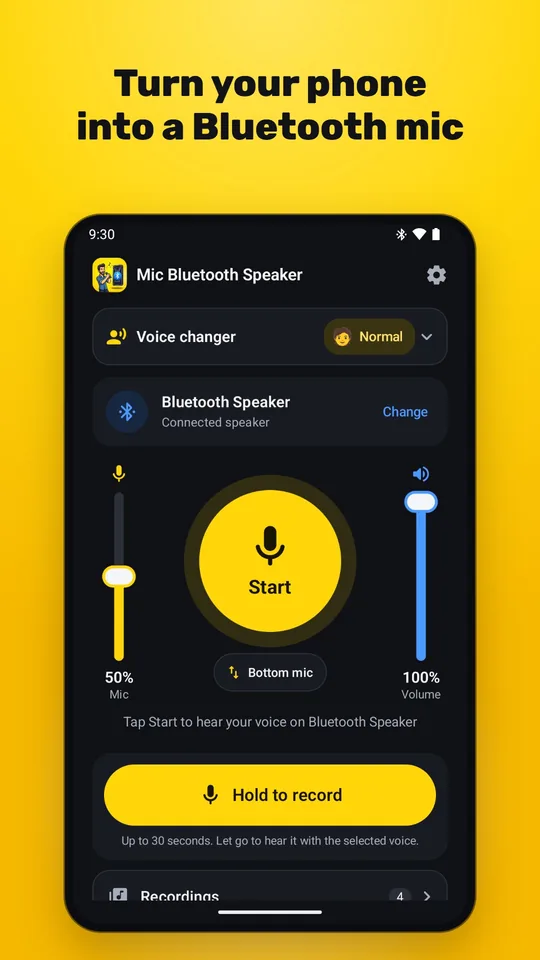
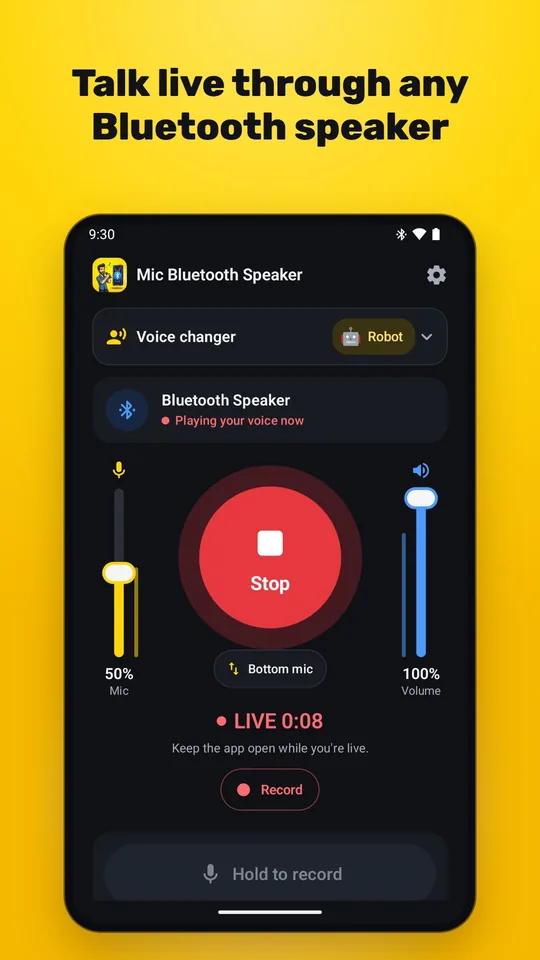
Screenshots
Features
Live broadcast to any Bluetooth speaker or earbuds
Route your microphone straight to a paired speaker in real time. Pick the speaker from inside the app, drag the microphone sensitivity and volume faders, and watch the live level bars. It is made for announcements, teaching, presentations and small events.
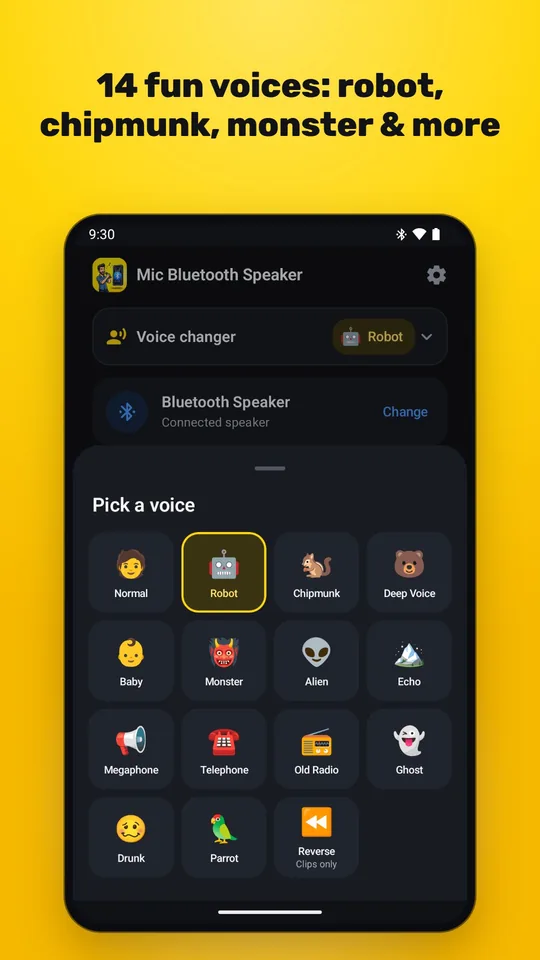
A voice changer with more than a dozen effects
Robot, Chipmunk, Deep, Baby, Monster, Alien, Echo, Megaphone, Telephone, Old Radio, Ghost, Drunk and Parrot. Switch effects instantly while you talk. Reverse works on recorded clips.
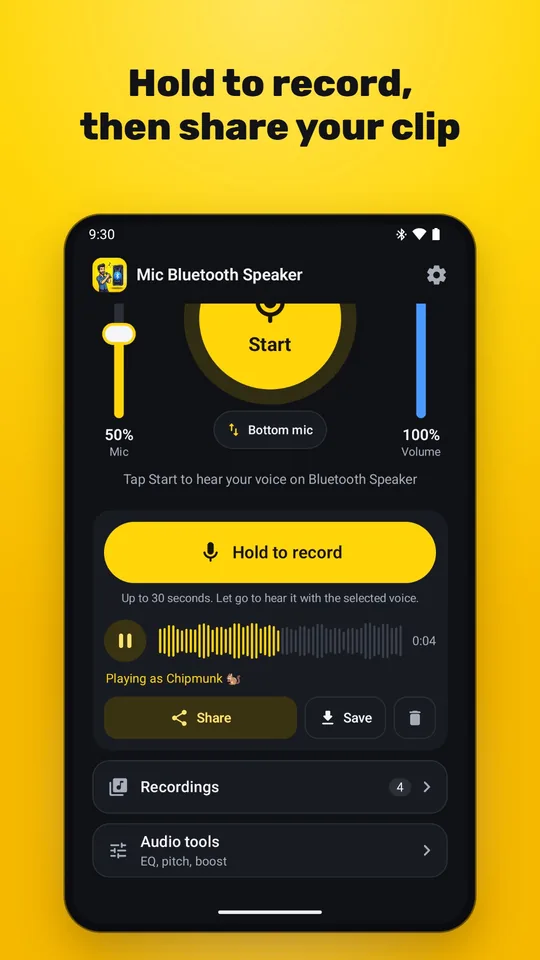
Hold to record, slide up to lock
Press and hold the record button for a quick push-to-talk clip, or slide up to lock it and record hands-free for up to 10 minutes. Play the clip back in any voice, save it to your Music folder, or share it.
Share your voice as a video
Snapchat, Instagram Stories, TikTok and WhatsApp status do not accept plain audio files. Mic Bluetooth Speaker turns any clip or saved recording into an MP4 video with an animated waveform that they all accept.
Reverse: say it backwards
Record a short word and play it back in reverse. Send it to a friend and dare them to work out what you said. Short, slow words, such as a friend's name, are the funniest.
Record your live broadcast
Record what you hear while you broadcast, with all your effects applied. A recordings sheet lets you play, share or delete each take, and files are saved to your Music folder.
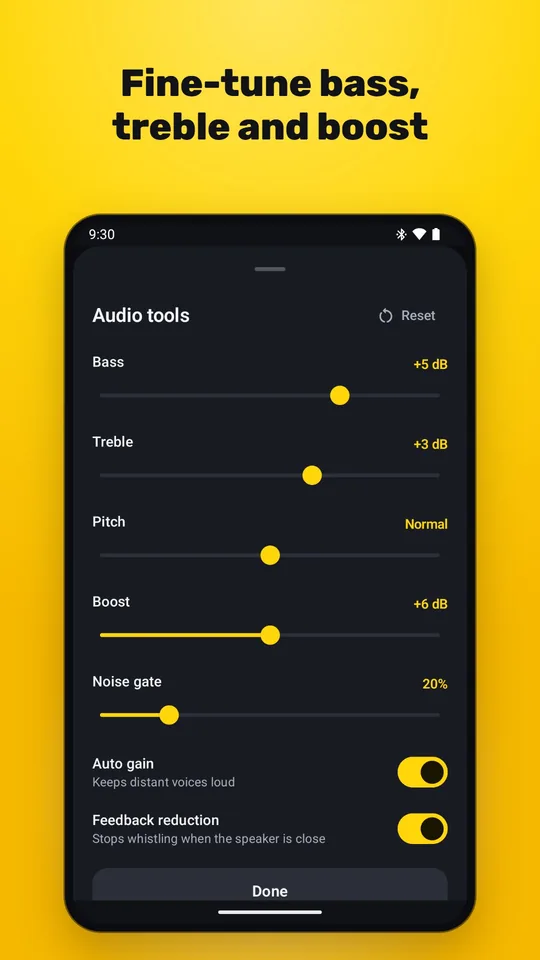
Audio tools for clear, strong sound
A two-band equalizer, pitch control, Boost, automatic gain control, a noise gate and feedback reduction help when the room is noisy, the speaker is far away or the speaker starts to whistle.
Private by design
Your live audio is processed on your phone and never uploaded. There is no account and no sign-up. Nothing is recorded unless you choose to record and save it.
Use your phone as a microphone in four steps
Pair your speaker
Turn on your Bluetooth speaker or earbuds and pair them with your phone in Android's Bluetooth settings.
Open the app and allow access
Allow the microphone, and Nearby devices if Android asks, so the app can hear you and connect to your speaker.
Tap Start and speak
Your voice now plays through the speaker. Set the microphone sensitivity on the left fader and the volume on the right.
Add a voice or record a clip
Open Voice changer to pick an effect. Hold the record button to capture a clip, then play, save or share it, including as a video.
What you can use it for
- Portable PA system and voice amplifierUse your phone and a Bluetooth speaker as a small public address system for a market stall, a school trip or a family gathering.
- Teaching, tours and fitness classesTeachers, tour guides and coaches can be heard across a room or a yard without shouting, using the speaker they already own.
- Parties and karaokeSing or speak through a Bluetooth speaker and add Echo or Megaphone for a stage feel.
- Presentations and small eventsGive an announcement or a short talk through a speaker without renting or carrying a wired microphone.
- Voice-changing games with familyTake turns as a Robot, a Monster or an Alien and guess who is talking.
- Funny clips for social mediaRecord a clip in a silly voice or backwards, turn it into a video and post it to Snapchat, TikTok or Instagram.
Frequently asked questions
What is Mic Bluetooth Speaker?
Mic Bluetooth Speaker is a free Android app that uses your phone's microphone to send your voice live to a Bluetooth speaker or earbuds. It also includes a voice changer, push-to-talk recording and a way to share voice clips as videos.
How do I use my phone as a microphone for a Bluetooth speaker?
Pair the speaker with your phone in Android's Bluetooth settings, open Mic Bluetooth Speaker, allow the microphone permission, and tap Start. Whatever you say into the phone plays through the speaker.
Why is there a delay between my voice and the speaker?
Bluetooth audio adds a short delay, about 0.2 seconds in real-world use, and this is inherent to the Bluetooth audio standard rather than to the app. It is fine for announcements, talks and singing along, but you will notice it if you try to speak in time with a video.
Why does my speaker whistle or echo, and how do I stop it?
That is feedback: the speaker's sound is going back into the phone's microphone. Keep the phone away from the speaker, lower the speaker volume or the microphone sensitivity, turn on feedback reduction in Audio tools, or listen on earbuds.
Does it work with earbuds and headphones?
Yes. It works with any Bluetooth speaker, earbuds or headphones that your phone can play music through. If no Bluetooth device is connected, the phone's own speaker can be used, but a Bluetooth speaker or earbuds keep the sound clean and free of feedback.
Is it free, and is there a subscription?
The app is free and supported by ads. A single one-time purchase removes the ads. There is no subscription.
Does the app record or upload my voice?
No. Your live audio is processed on your device and never uploaded. Nothing is recorded unless you choose to record and save a clip. The free version shows ads from Google AdMob, which collects limited advertising data. See the privacy policy for details.
Which phones does it work on, and is there an iPhone version?
It works on Android 8.0 or newer. It is an Android app, and there is no iPhone version at the moment.
App details
- Platform
- Android 8.0 or newer
- Price
- Free with ads. A one-time purchase removes the ads (no subscription).
- App languages
- 14 languages
- Developer
- Secure System Bytes (SSByte)
- Privacy
- Privacy policy (English)
- Last updated
Guides and how-tos
- How to post a voice clip to Snapchat, Instagram, TikTok or WhatsApp status (English)
Snapchat, Instagram Stories, TikTok and WhatsApp status reject audio files. Here is how to record a voice-changed clip and share it as a video instead.
- How to stop a Bluetooth speaker whistling or echoing when you use a phone mic (English)
Why a speaker squeals or echoes when you speak into a phone, and the practical fixes that stop it: distance, volume, placement, earbuds and feedback reduction.
- How to use your phone as a microphone for a Bluetooth speaker (English)
A step-by-step guide to turning an Android phone into a live wireless microphone for any Bluetooth speaker or earbuds, with tips for clear sound and less delay.